

Today, I managed to obtain a trial license for the new arbitrage trading software on the Forex and cryptocurrency markets developed by BJF Trading Group.
Introduction:
BJF Trading Group rightfully holds a leading position in developing software for arbitrage trading in the Forex market. This is confirmed by their previous developments such as VIP Lock Arbitrage and DAAS, which were once market leaders in arbitrage trading and still hold their ground today. Will SharpTrader be able to surpass its own “siblings” and take the first place? The product comes at a fairly high price, with the platform and single-leg arbitrage costing $3,494, and the full package with all integrated strategies priced at $6,294.
However, in defense of BJF Trading Group’s pricing policy, it should be noted that, firstly, the software can be used on various platforms and includes over 50 connectors via the FIX API protocol, allowing connectivity between different markets, including both the Forex and cryptocurrency markets, through socket APIs. SharpTrader is connected to almost all well-known cryptocurrency exchanges through sockets and REST API. Unfortunately, the program does not have connectivity to MT4/MT5, but it includes an internal Easy FIX API that allows SharpTrader to be connected to third-party platforms. There is already a bridge available for such connections in the market. We will also test the bridge to understand whether there will be any loss of speed or performance (which is crucial for arbitrage trading) due to the introduction of this new component. So let’s get started!
SharpTrader Arbitrage 1.0 review with test on live accounts
SharpTrader Arbitrage Installation
SharpTrader is delivered to the user as an installer signed with the digital signature of BJF Trading Group Inc. However, when installing it on my home computer, my antivirus started to raise concerns. As a tester of numerous Forex trading programs, I understand that this happens because the program is new and not yet widely installed. Over time, this issue will likely disappear. I did not encounter this problem when installing it on a VPS. The program includes a loader, similar to DAAS, which notifies users about new versions upon program restart and allows for seamless updates. I had no issues with the installation, and I would rate the installer 9 out of 10, mainly because not all antivirus programs recognize it yet.
SharpTrader Arbitrage Interface
Credit must be given to the developers – the program’s interface looks professional, modern, and highly user-friendly. I also appreciate the choice of colors for the interface, which doesn’t add strain to the already fatigued eyes of a professional Forex trader 😉. Well done!
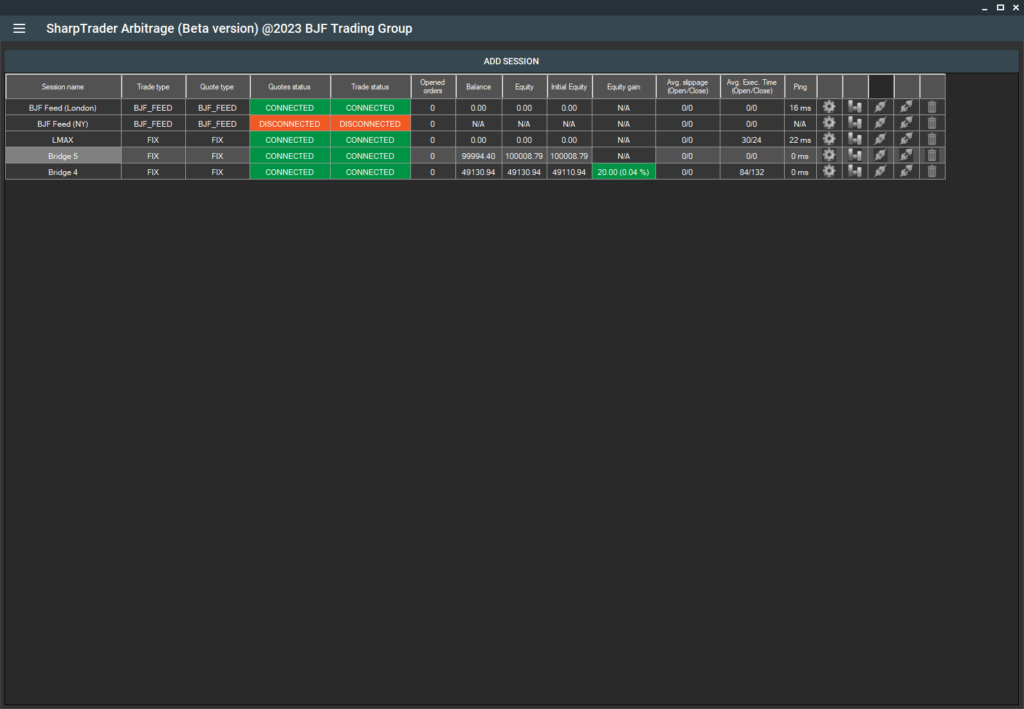
Adding New Forex and Crypto Sessions (Accounts)
Adding new sessions (accounts) did not cause me any problems. There was a hitch with adding an MT terminal via a bridge and through the IP Changer, which the guys from uniBridge provided me completely free of charge. However, uniBridge’s support helped me understand the installation process and also pleased me with the news that, pay attention: uniBridge will be supplied completely free of charge, already with a built-in order mixer, and most importantly, with an IP Changer. A speed test under load showed that this approach provides the maximum possible reaction speed to the signal and sending of orders.
Adding an account on a cryptocurrency exchange has become much more convenient than in such a product as VIP Crypto Arbitrage, thanks to the automatic download of symbol lists for each cryptocurrency exchange. Traders who use arbitrage bots for trading on cryptocurrency exchanges are familiar with the problem of different naming of symbols on different crypto exchanges. Therefore, this function reduces the setup time for each crypto connector several times over.
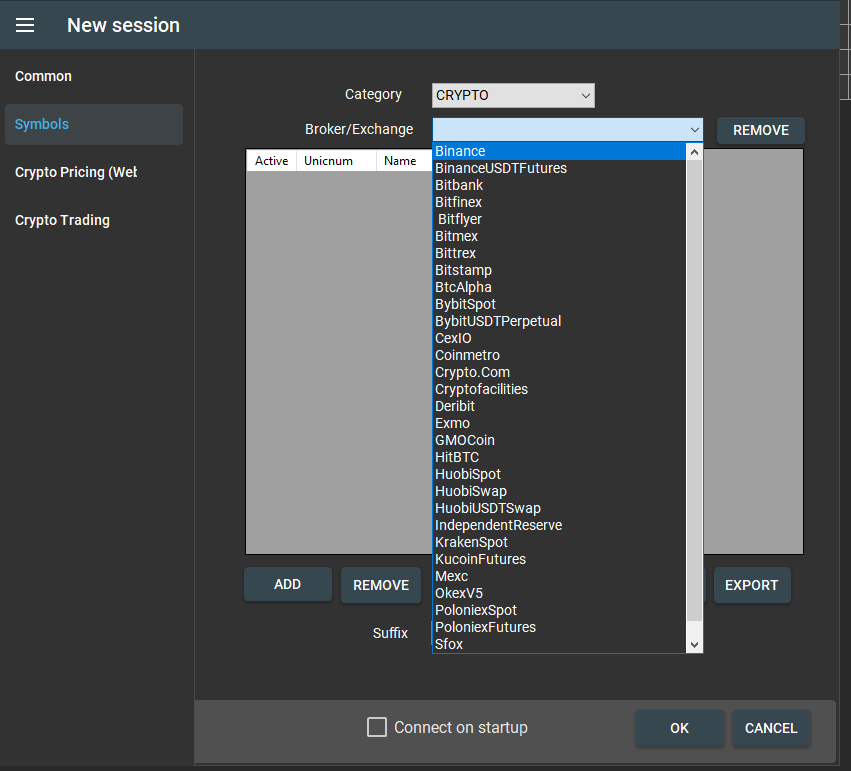
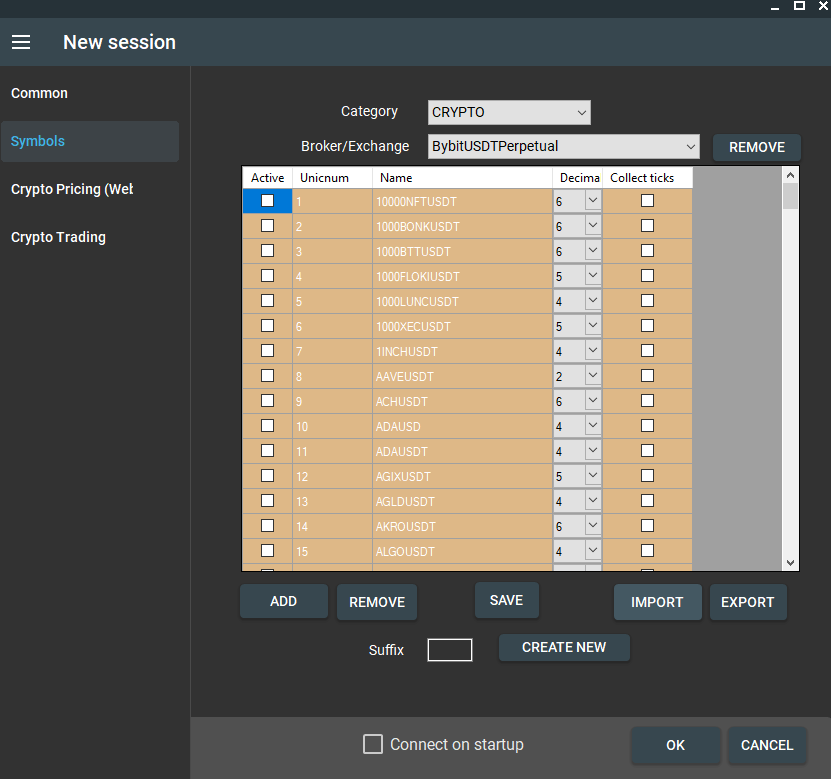
Adding Strategies to SharpTrader Arbitrage
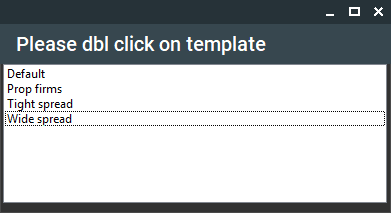
Adding and setting up strategies also did not cause me any problems, especially since the developers have already provided for the use of presets or so-called templates, which will significantly simplify the strategy setup for new users.
- SharpTrader Testing on Real Accounts
For testing SharpTrader on real accounts, I installed the program on HFT UltraFXVPS as recommended by the developer, and initially enabled latency arbitrage. The program started earning, but I stopped trading as with the use of regular latency arbitrage, an account can quickly be identified by a forex broker as toxic.
Testing LockCL2 strategy showed excellent results. Testing was carried out over 5 days on 2 real accounts with a deposit of $500 each. The chosen currencies for testing were EURUSD, GBPUSD, and US30. After 5 days, my first account was in a small loss, while the second one showed a good profit. My total profit was around 8%.
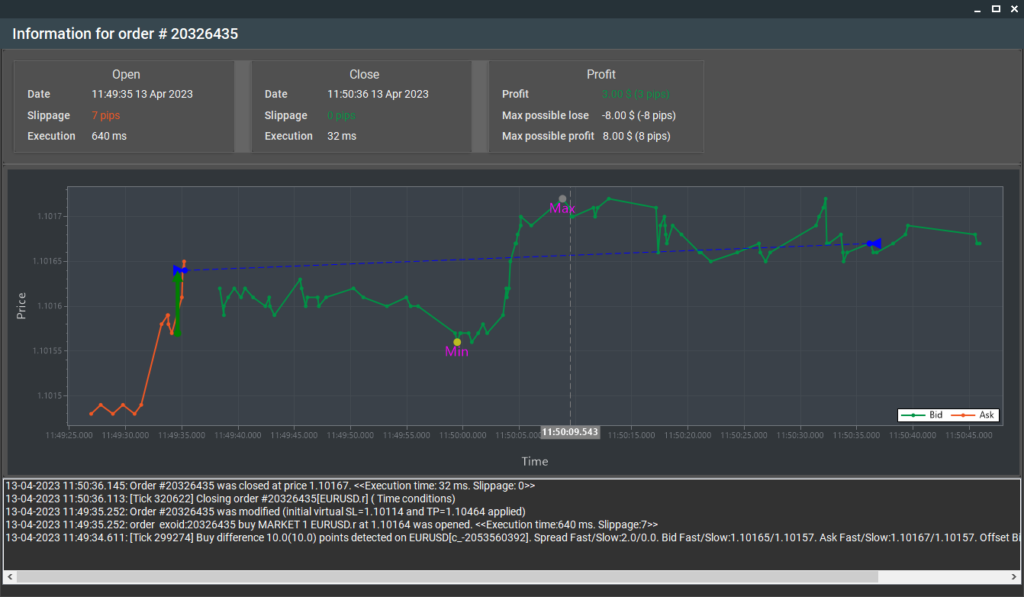
I couldn’t test the remaining strategies due to the short period of the demo version, but I plan to write about this in the future. I would also like to highlight additional tools that allow an analysis of the overall performance of the strategy, which is especially convenient when several strategies are running simultaneously on the same accounts, as well as an analysis of each order separately. This enables an experienced trader to understand whether the broker is using plugins and how they are configured.
Conclusions
The SharpTrader arbitrage program is undoubtedly the most professional software for arbitrage trading currently available, at least among those available for purchase online, for the forex and cryptocurrency markets, and it far surpasses its competitors. I would rate SharpTrader 9.8 out of 10. One drawback is the high resource consumption, but the developers have promised to address this issue within the next week.
SharpTrader official webpage: https://bjftradinggroup.com/product/sharptrader-forex-crypto-arbitrage/
Experts review
-
Profitability - 9.9/10
9.9/10
-
Safety of use - 9.9/10
9.9/10
-
Execution speed - 9.8/10
9.8/10
-
Сamouflage options - 9.8/10
9.8/10
-
Customer support - 9.5/10
9.5/10
-
Usability - 10/10
10/10
-
Multifunctionality - 9.9/10
9.9/10
 Arabic
  English
  Spanish
  Portuguese
  Japanese
  Chinese
  German
  Korean